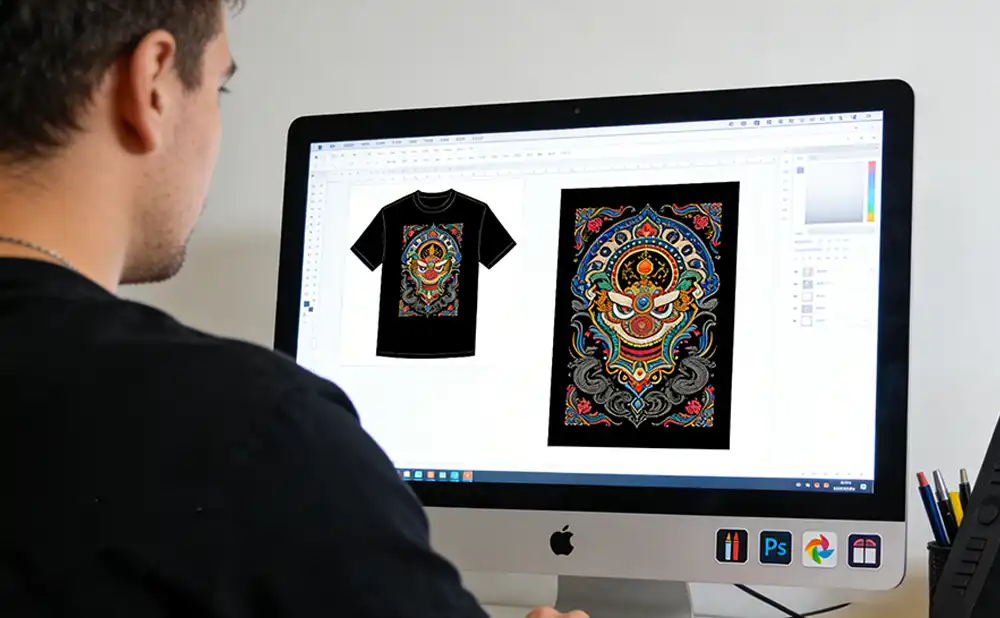
Many people new to T-shirt customization often wonder: even with a DTF printer, the printed patterns can turn out gray, dull, and blurry, far from the vibrant results they expect. In fact, the color saturation of DTF direct-to-film printing relies on a coordinated process covering design, printing, materials, and parameter settings. Combining the characteristics of DTF printing, this article explains practical methods to make prints more vibrant, which beginners can follow directly.
1. Design Stage: Create High-Resolution Files Adapted for DTF Printers
To achieve vibrant prints with a DTF printer, the first step is to control the quality at the design source, as file quality directly determines the final outcome.
Ensure High-Resolution Materials of 300dpi or Above
DTF printers have higher requirements for resolution. Blurry files will directly result in jagged edges, noise, and muddy colors. Whether it’s a cartoon, landscape, or portrait pattern, the resolution should be at least 300dpi, with vector graphics preferred. Only then can details such as leaf veins and hair textures be clearly reproduced.
Use High-Contrast Bright Color Combinations
Dark and similar colors tend to look gray in DTF printing. It is recommended to use highly saturated primary colors like red, yellow, and blue, or contrasting complementary colors for stronger visual impact. As mentioned in the professional printing guide 5 Tips To Maximize The Vibrancy Of Your DTF Designs (https://ninjatransfers.com/pages/5-tips-to-maximize-vibrancy-dtf-designs), high-contrast color matching is the core prerequisite for vibrant DTF prints.
Add Details and Textures to Enhance Texture
Add details such as hair, distressed effects, and textures to the pattern. DTF printers can accurately reproduce these layers, making the pattern three-dimensional and vivid instead of flat and monotonous.
2. DTF Printing Output: Maximize Color Advantages with Proper Equipment Use
The film production and printing settings of a DTF printer are key to color vibrancy, requiring higher precision than traditional direct-to-garment printing.
Choose High-Quality DTF-Specific Transfer Films
Ordinary films have poor color reproduction and are prone to deformation. Professional DTF transfer films feature high transparency and stable coloration, allowing the DTF printer to output design colors accurately—making reds brighter and blues purer—without fading or deforming during printing.
Precisely Control DTF Printing and Plate-Making Accuracy
Using a DTF printer with laser plate-making technology results in sharper pattern edges and no loss of small elements. Ensure clear lines and even color distribution during printing to avoid double images and ink leakage, which is the foundation of vibrant prints.
3. Ink and Parameters: The Core Color Tuning Secret for DTF Printers
With the same DTF printer, correct ink selection and parameter adjustment can elevate color quality significantly.
Use DTF-Specific High-Chroma Inks
Abandon ordinary inks and choose water-based DTF pigment inks. Fluorescent and metallic inks can also create special effects—fluorescent patterns glow brighter at night, and metallic armor patterns gain a more textured look. Their color adhesion and saturation far exceed ordinary consumables.
Optimize Core Parameters of the DTF Printer
Adjust printing pressure, speed, and nozzle temperature: moderate pressure ensures full ink transfer; appropriate speed avoids uneven ink dots; and temperature matching the ink characteristics results in firmer and fuller colors.
4. Fabric Pre-Treatment: Make DTF Prints Absorb Ink Better and More Vibrant
Poor fabric treatment will prevent even the best DTF printer from producing vibrant prints.
Clean to Remove Impurities and Improve Ink Absorption
First wash the T-shirt to remove sizing and lint, resulting in a smoother fabric surface. This allows better ink penetration and adhesion during DTF transfer, ensuring even colors without mottling.
Special Coating for Enhanced Color Development
Cotton and blended fabrics can be treated with a DTF-specific coating to improve ink adhesion, enabling highly saturated bright prints even on dark garments.
5. Heat Transfer Fixation: The Final Step to Boost Vibrancy for DTF Prints
After DTF printing, heat transfer temperature, pressure, and time directly lock in color vibrancy.
- Preheat the fabric to remove moisture
- Control the temperature at 160–180℃ and press for 10–15 seconds
- Peel off the film accurately to ensure a flat pattern without warped edges